Poly9 AI · Guide for exporters and makers

A catalog buyers open at the booth

IHGF Delhi opens on 13 October 2026 (organiser) and Heimtextil on 12 January 2027 (organiser). This guide turns the catalog you already have into a digital booth in seven steps and three weeks, with a last-week checklist.

Published 18 September 2026 · Written for the autumn 2026 and January 2027 fairs

A trade-show-ready catalog is your catalog as a live storefront a buyer opens on a phone at the booth. Every product shows its finish and size options, a certified price where a rule exists, and price on request where it does not. The buyer takes one link instead of a PDF. It still works a month later, and you see when it was opened.

Three moments the catalog has to survive

A fair catalog is judged three times, and a PDF fails the last two.

  1. 1At the stand. The buyer holds a phone, not a binder. They want to tap a finish, see the piece change, and save it before the next stand pulls them away.
  2. 2That evening. In the hotel they open what they saved. A link opens; an attachment waits for a laptop. The questions start here: "does it come in matte black", "what is the MOQ".
  3. 3A month later. The buying meeting happens without you in the room. The link is forwarded, the options are tapped again, and the quote request lands in your inbox with the lines already chosen.
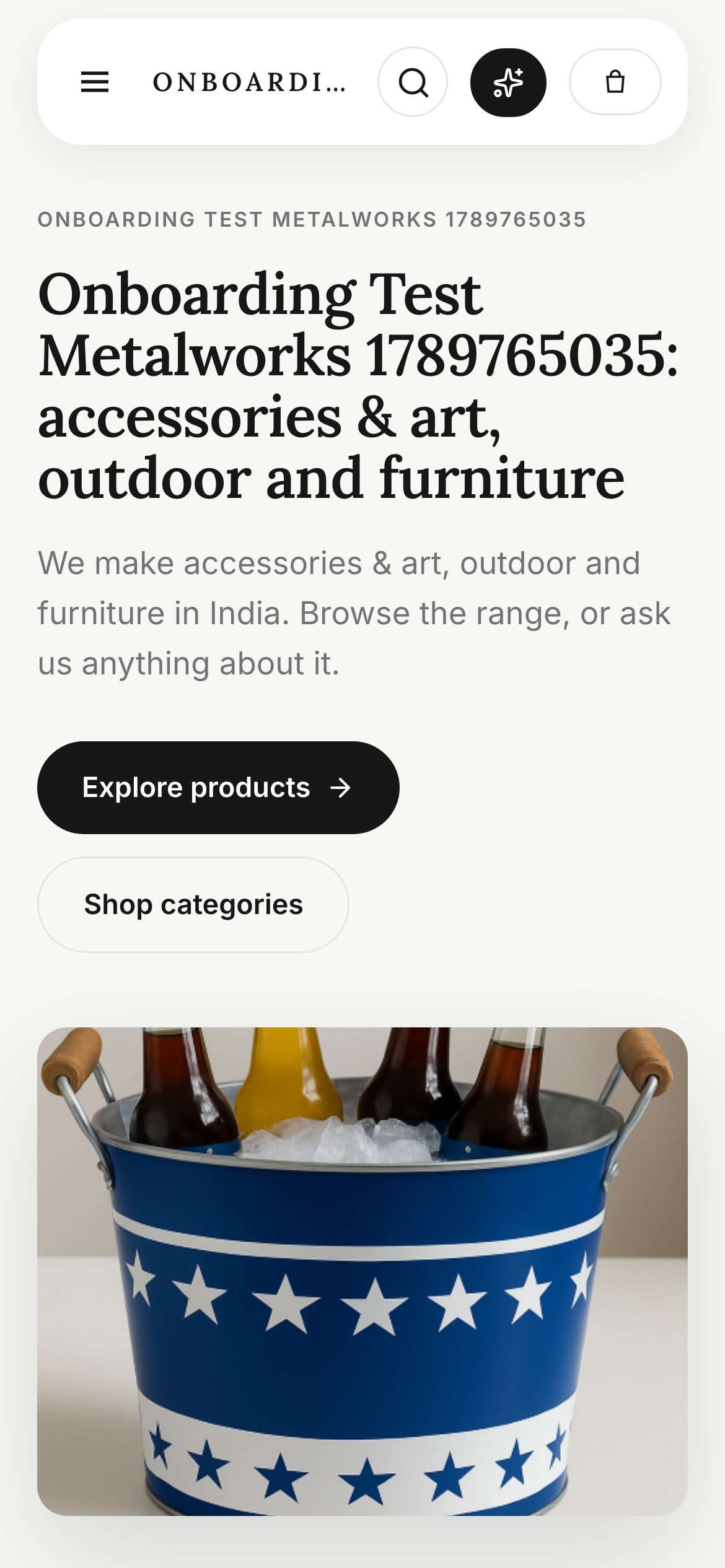
The digital booth opened on a buyer’s phone: storefront header and the first products

The digital booth opened on a buyer’s phone: your storefront header, the first products. Real screen, demo tenant.

The seven steps

In order, three weeks before the hall opens. Each step ends with what it becomes in your Poly9 digital booth.

  1. 01

    Bring the products in from what you have

    Start with the photos, the price spreadsheet and the website you already run. You do not need a photoshoot to be trade-show ready; you need every product a buyer will see at the stand to exist as a record with a name, a dimension and a material. Name products the way a buyer remembers them, and keep the internal code as a second field.

    In Poly9: Add the catalog from photos, a spreadsheet or your website. Each product becomes a record the storefront, the collections and the quote all read from.

  2. 02

    Write the option list for each product

    Metal: brass, antique bronze, matte black. Wood: walnut, natural oak, white-washed. Textiles: colourways, widths, repeat. Sizes where they exist. Write the list per product, because "we can do any finish" cannot be tapped on a phone, and the first question after "I like it" is "what else does it come in".
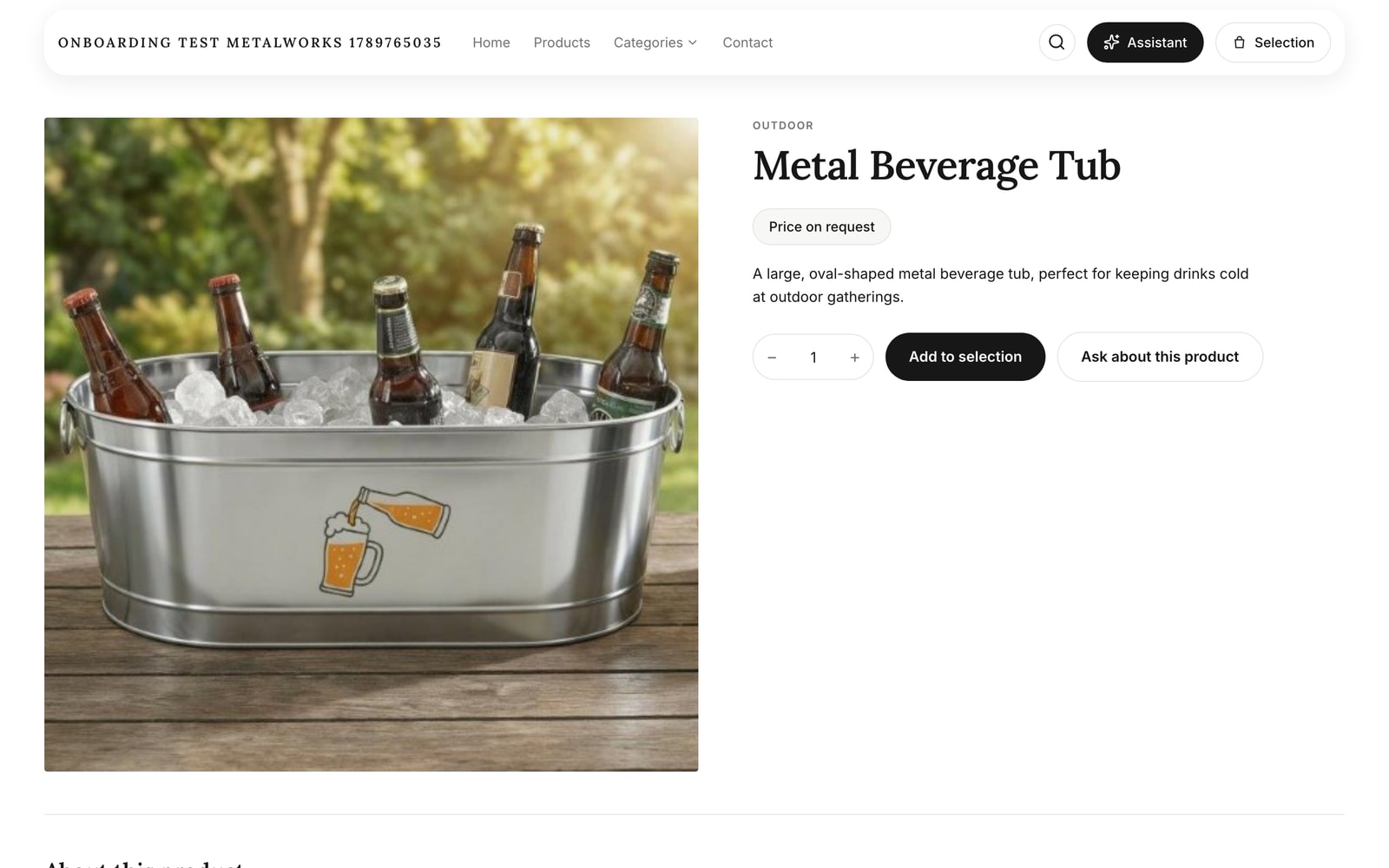
    A product page in the digital booth: photo, quantity, add to selection, ask about this product, price on request

    A product page in the booth: photo, quantity, ask about this product, price on request. Real screen.

    In Poly9: Options sit on the product record. A buyer taps a finish and sees the configured piece, or asks "show me this in matte black" in the chat.

  3. 03

    Load the price rules you have approved

    Base cost, finish upcharge, size multiplier, currency. Load only the rules you would sign your name to. Where a rule is missing, the product shows price on request, and that is the honest state for a fair: the buyer sees the piece now and gets the exact number after. A guessed price that moves later costs more than a one-day wait.

    In Poly9: Every quote line shows the rule behind it. A product with no rule returns price on request, never an estimate.

  4. 04

    Build two or three fair collections

    One story per buyer type, 8 to 15 products each: "hand-hammered brass for organic modern living rooms", "guest-room linen in five colourways". A collection is what a buyer saves and forwards; the full catalog is what they scroll past. Give each collection a cover note a store manager could repeat.
    One-link collection share with buyer engagement tracking

    A collection shared by one link, with the open receipt. Real screen.

    In Poly9: A collection is a shareable link with its own cover note. Building one costs one sales action per product plus one for the cover, from the pricing page.

  5. 05

    Open the booth on your own phone

    Do this a week out, on mobile data, not office Wi-Fi. Tap every option on every hero product. Read the price state on each line: certified or price on request, nothing else. Check that the storefront carries your logo and your address, because the buyer bookmarks the brand they see.

    In Poly9: The digital booth lives at your own storefront address with your logo and colours. Poly9 stays out of the buyer’s view.

  6. 06

    Print the QR cards

    One card per collection and one for the whole booth, A5 or business-card size, with the story line printed under the code. The card is what you hand over when the aisle is loud and the buyer has thirty seconds. Print more than you think you need; they leave with people.

    In Poly9: Poly9 generates the QR code for every share link. Print it from the share panel.

  7. 07

    Write the follow-up before the fair opens

    The email that goes out three days after the fair is written now, with the collection link in it and a blank for the buyer’s name and the piece they asked about. Nobody writes a good email in the hotel on the last night. The link does not change, so the draft does not either.

    In Poly9: The same collection link goes in the email. When the buyer opens it and asks for a quote, the request lands in your Projects inbox.

PDF catalog or digital booth

Keep a PDF for procurement systems that demand one. For the buyer at the stand, the link wins on every row.

WhatPDF catalogPoly9 digital booth
Opens on a phone in the aisleDownloads first; large files stall on hall Wi-FiA link opens like a web page
Finish and sizeA list in an appendixTapped per product, the piece changes
PriceOne number, or "POA" everywhereCertified from your rules, or price on request per line
The question at 9 pmAn email you answer on the last dayAsked in the collection chat, in the buyer’s language
Changes after the fairA new file, a new attachmentUpdate a product once; the link stays live
What you learnNothingWhen the link was opened and what the buyer asked
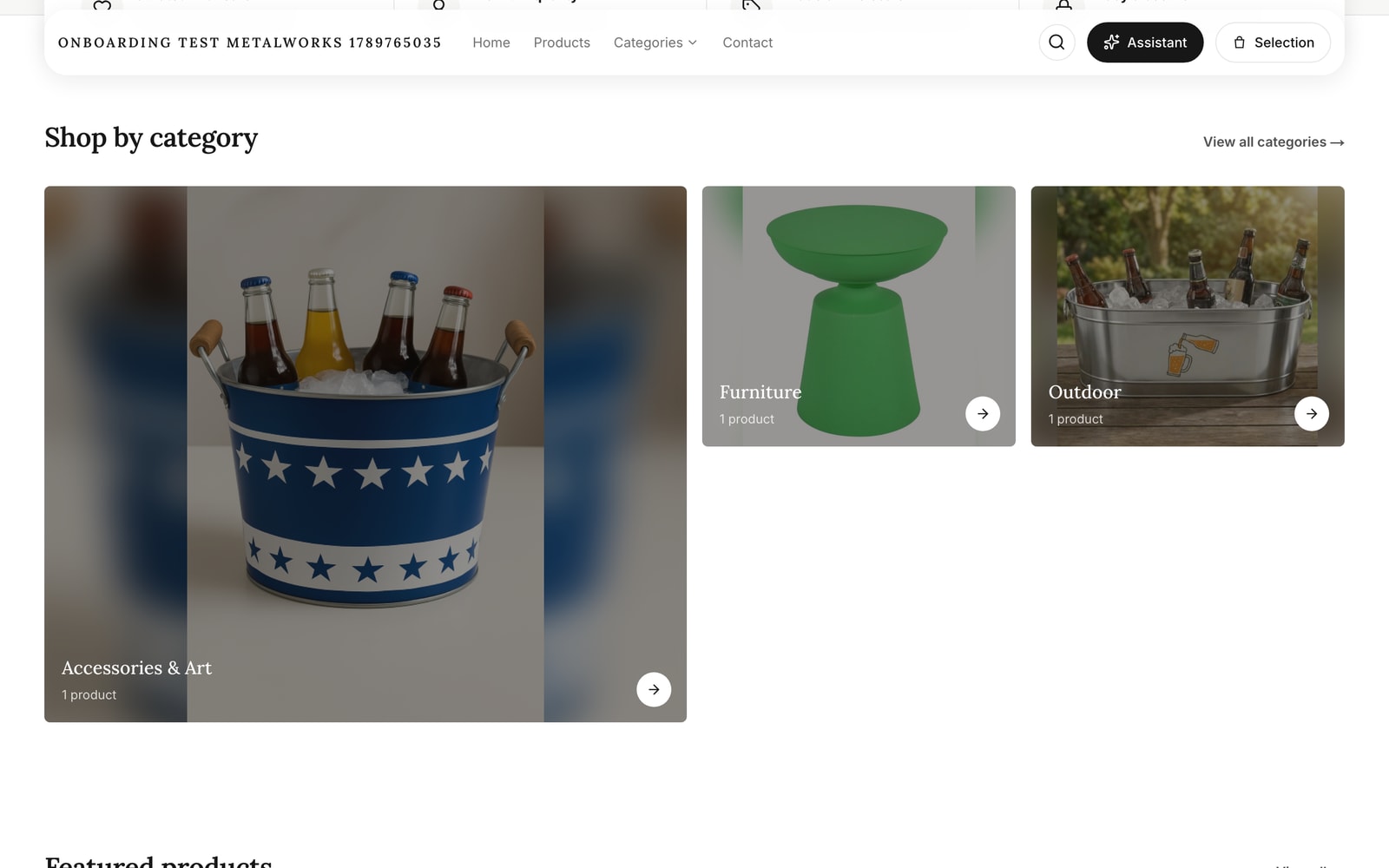
Metal décor exporter’s digital booth storefront: category tiles and product cards, price on request until a rule exists

The booth the steps build: categories and products, price on request until a rule exists. Real storefront, demo tenant.

The same seven steps, fair by fair

Dates come from the organisers and are linked. What changes between fairs is the option grid, not the method.

IHGF Delhi, 13 to 17 October 2026

Dates: organiser

Metal, wood and gifts from Moradabad and Jodhpur. Lead with finish (brass, antique bronze, matte black) and packing per carton. Buyers screen on MOQ and FOB port before price.

Heimtextil, 12 to 15 January 2027

Dates: organiser

Home and contract textiles. Lead with colourway, width and repeat; show the swatch before the price. A colourway grid a buyer taps replaces the sample card they lose.

The last week

Eight checks before the hall opens

  • Every product at the stand exists in the catalog with a name, a dimension and a material
  • Every hero product has its finish, size or colourway options written and loaded
  • Every price line reads certified or price on request; no estimates
  • Two or three collections built, 8 to 15 products each, with a cover note
  • The storefront opened on a phone over mobile data and every option tapped
  • Your logo and storefront address show on the booth and on the collection links
  • QR cards printed: one per collection, one for the booth, story line under the code
  • The follow-up email is written with the link in it, before the hall opens

For the same checks against your own fair date, with a score and due dates, use the fair booth readiness checklist. It runs in your browser and sends nothing anywhere.

Questions exhibitors ask

What makes a catalog trade-show ready?
It opens on a phone in the aisle, and every product shows the options a buyer can tap. Every price line is certified or price on request, and the buyer leaves with one link that still works a month later. A PDF fails the first and last tests; a digital booth passes all four.
Do we need every price loaded before the fair?
No. Load the rules you have approved and let the rest show price on request. The buyer still taps finishes and sizes, saves the collection and asks for a quote. After the fair you load the missing rules and send certified numbers. Buyers trust "the exact figure on Monday" more than a guess that moves.
How long does it take from photos to a live booth?
Plan three weeks. Week one is the catalog: products, options, the first rules. Week two is collections and the phone test. Week three is QR cards and the follow-up draft. A focused line of 40 products with photos in hand can go live faster; a 400-product catalog with no option lists needs the full three weeks.
Does the same booth work for IHGF, Heimtextil, Ambiente and High Point?
Yes. The method is the same; the option grid changes. Metal and wood lines lead with finish and packing, textiles with colourway and width, furniture with finish family and fabric grade. Build a collection per fair audience and keep the catalog underneath the same.
What does a buyer see when they scan the QR card?
Your storefront on their phone: your logo, the collection cover note, the products with their options, and a chat where they ask about a piece or request a quote. Price shows as certified or price on request per line. They can save and forward the link; it stays live after the fair.
What does it cost to build a fair collection?
One sales action per product plus one for the cover, so a 12-product collection is 13 sales actions. The free start includes 250 sales actions for 30 days with no card, which covers several collections and the quotes that follow. The full table is on the pricing page.

Build the booth before the hall opens.

Add the catalog from photos, load the rules you have, share the first collection link this week. 250 sales actions free for 30 days, no card, and the account stays yours.

Start free Talk to sales