
Poly9 AI · Guide for exporters

Buyer presentations that win the follow-up

IHGF Delhi runs 13 to 17 October 2026 with more than 3,000 exhibitors, so a buyer gives your line minutes, not an afternoon. This guide is the seven-step structure, a send checklist, and the way to ship it as a live Poly9 collection instead of a PDF.

Published 18 September 2026 · Written for IHGF Delhi, 13 to 17 October 2026

A buyer presentation for exporters is a short, phone-first deck. It holds one story, 8 to 15 hero products, the finish and size options, the trade facts (MOQ, lead time, FOB port) and one next step. Send it as a link, not a PDF. The buyer opens it on the plane, forwards it to their team, and configures a finish without emailing you first.

What a buyer wants in three minutes

A buyer at a fair or on a video call is deciding whether your line fits their floor. They want four things in this order.

  1. 1The story. One sentence a store manager could repeat: "Hand-hammered brass and iron for organic modern living rooms."
  2. 2The hero products. 8 to 15 pieces that prove the story. Not the 400-item catalog.
  3. 3The options. Finish, size and material choices they can tap through on their own phone.
  4. 4The next step. Quote, sample order or a link they can save. Never "contact us for more information".

The seven steps

Work through them in order. Each step ends with what it becomes inside a Poly9 collection.

A hero lifestyle shot for a presentation cover: brass and iron décor styled on a console, rendered
✦ Generated with AI Design Studio

A cover vignette: one story, the hero pieces on a console, nothing to decode. AI render.

  1. 01

    Write the one-line story

    Name the room, the material and the buyer: "Solid mango wood dining in three finishes for US coastal retail." If the sentence covers your whole catalog, it is too wide. Aim for one style direction per presentation and build a second one for the next buyer type.

    In Poly9: The story becomes the collection name and its first line. Buyers see it before the first product.

  2. 02

    Choose 8 to 15 hero products

    Pick the pieces that sell the story and that you can ship on time. Give each a name a buyer will remember (not the internal code), the key dimensions, and the material. Order them the way a buyer walks a room: the anchor piece first, accents after.

    In Poly9: Add products from your catalog or from photos. Each product in the collection is configurable, so the buyer taps a finish instead of asking.

  3. 03

    Show the option grid up front

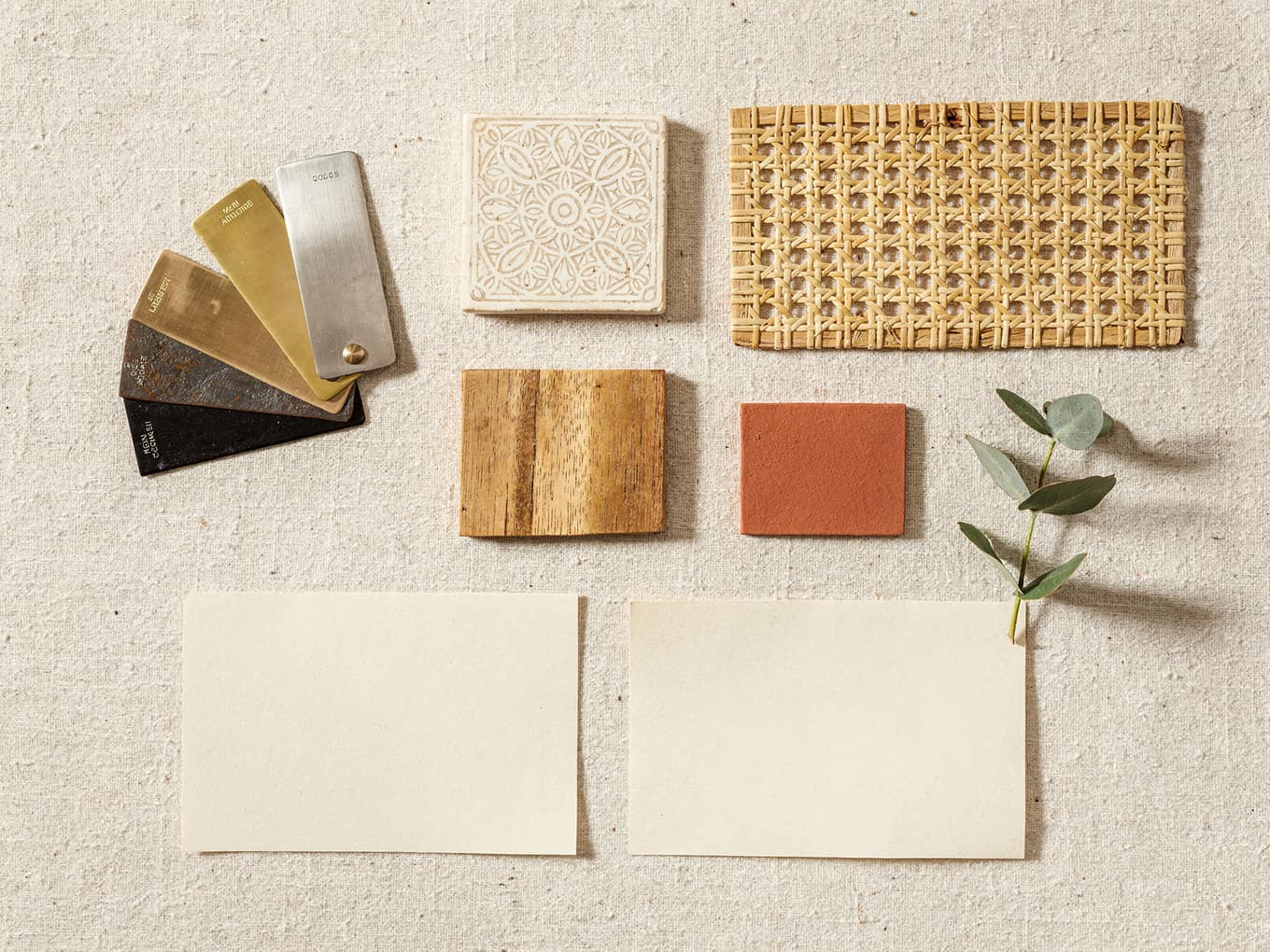
    Metal: brass, antique bronze, matte black, powder-coated white. Wood: walnut, natural oak, white-washed. Textiles: colourways and repeat. Put the grid on page two, not in an appendix. The first question after "I like it" is always "what else does it come in".
    An exporter’s mood board: brass, nickel and iron finish chips, a bone-inlay sample, a terracotta paint chip, rendered
    ✦ Generated with AI Design Studio

    The option grid as a board: finish chips, inlay, cane, a paint chip. AI render.

    In Poly9: Options come from your catalog rules. A buyer asks "show me this in matte black" and the assistant shows the configured piece.

  4. 04

    Add lifestyle context, labelled

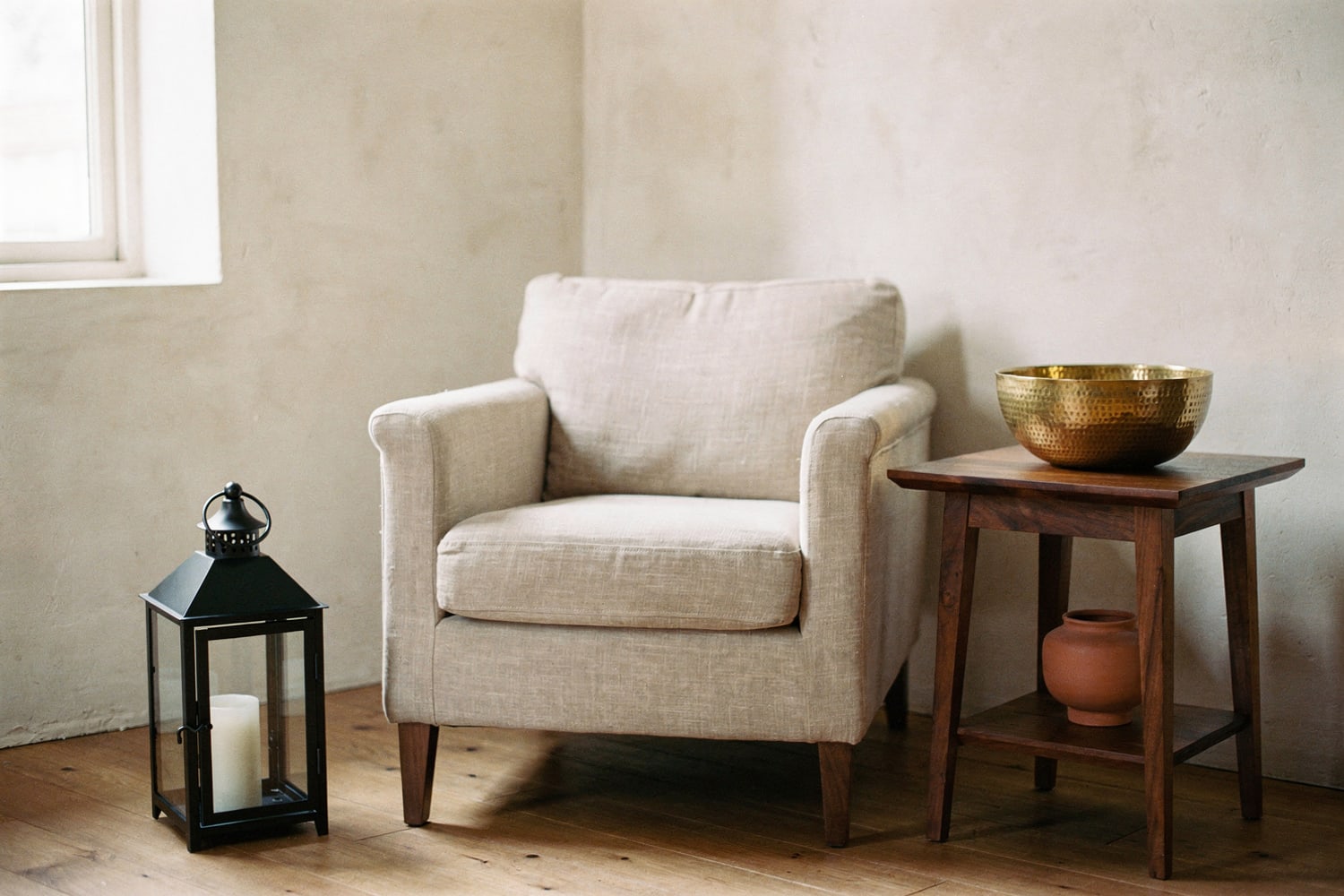
    Two or three room vignettes per story, shot or rendered, each labelled with the product names in the frame. Horizontal, 1200 to 1600 pixels wide, one finish family per scene. A render is fine when it is labelled as a render.
    Iron lantern and brass bowl styled in a calm living room, rendered
    ✦ Generated with AI Design Studio

    A labelled lifestyle scene: the lantern and the bowl, named in the caption. AI render.

    In Poly9: Render a product from the catalog into a styled room. The image carries an "AI render" label so the buyer knows what they are looking at.

  5. 05

    State the trade facts

    MOQ per product, lead time from order, FOB port, packing (pieces per carton, CBM), and your payment terms. Buyers screen on these before they screen on price. One table, kept near the products it describes.

    In Poly9: MOQ, lead time and packing sit on the product record and show in the quote lines.

  6. 06

    Price honestly: certified or price on request

    Show a price only when it comes from a rule you have approved: base cost, finish upcharge, size multiplier, currency. Where a rule is missing, write "price on request" and say when the number will arrive. A guessed price that moves 20% later costs more than a one-day wait.

    In Poly9: Every quote line shows the rule behind it. A missing rule returns price on request, never an estimate.

  7. 07

    End with one next step

    Choose one: request a quote, order samples, or save the collection. Put the same step on the last page, in the email, and on the QR card at the booth. Two next steps means neither happens.

    In Poly9: The buyer asks for a quote in the collection chat. The request lands in your Projects inbox with every line certified or marked POR.

Line sheet or living collection

A PDF line sheet is fine for procurement systems that demand one. For every other buyer, the link wins.

WhatPDF line sheetPoly9 collection
Finish optionsLists "brass, iron, copper"Buyer taps a finish and sees the configured piece
PriceOne price, or "POA"Certified price from your rules, or price on request
Follow-up questionEmail: "Do you have this in matte black?"Answered in the collection chat, in the buyer’s language
SharingAttachment, lost in the inboxOne link, opened on a phone, forwarded to the team
ChangesFrozen at send timeUpdate a product or a lead time once; the link stays live
ActivityUnknownDashboard shows who opened it and what they asked
One-link collection share with buyer engagement tracking

A collection shared by one link, with the open receipt. Real screen.

The fair-week timeline

Three weeks out is enough if the catalog photos exist. The plan below is written for IHGF but works for Heimtextil, Ambiente and High Point.

Three weeks before

  • Add the catalog from photos, a spreadsheet or your website
  • Build the hero collection: 8 to 15 products, story line first
  • Load the finish and size options; write the first pricing rules
  • Render or shoot two vignettes per story and label the products

One week before

  • Open the collection link on a phone and tap every option
  • Print the QR code Poly9 generates for the link on A5 booth cards
  • Mark price on request on any product whose rule is not loaded
  • Write the follow-up email now, with the link in it

During the fair

  • Hand over the QR card or send the link on WhatsApp
  • Walk the buyer through one product on their own phone
  • Let them ask for a quote in the collection; check the lines that evening
  • Note the buyer name against the collection so the follow-up is personal

Three days after

  • Send the follow-up with the same link, not a new PDF
  • Replace price on request lines with certified quotes
  • Read the collection activity: who opened it and what they configured
  • Build a second collection for the buyers who asked for a different story
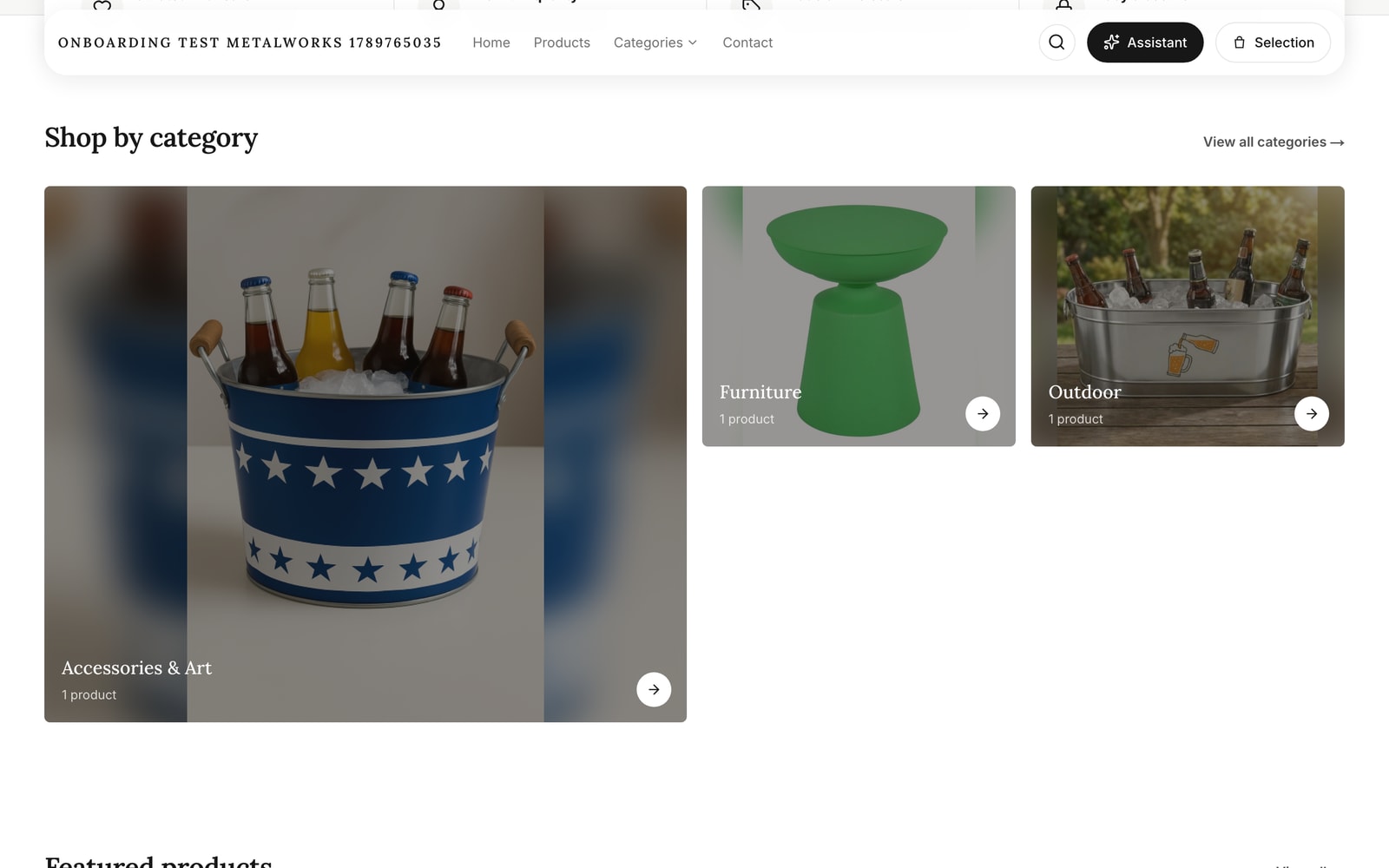
Metal décor exporter’s digital booth storefront: category tiles and product cards, price on request until a rule exists

The booth the timeline builds: categories and products, price on request. Real storefront, demo tenant.

Before you send

Nine checks, two minutes

  • The story fits in one sentence and names a room, a material and a buyer
  • Between 8 and 15 products, each with a memorable name and dimensions
  • The option grid is on page two, not in an appendix
  • Every vignette is labelled with the products in it; renders say "AI render"
  • MOQ, lead time, FOB port and packing appear on one table
  • No price on the page unless a rule produced it; the rest says price on request
  • One next step, repeated on the last page and in the email
  • The link opens on a phone in under three seconds on hall Wi-Fi
  • The follow-up email is written before the fair opens

Questions exporters ask

Can we keep our own branding on the presentation?
Yes. A Poly9 collection carries your logo, colours and company name, and buyers see your brand on every page. The link lives on your storefront address, so the buyer bookmarks you, not a marketplace. Poly9 stays out of the buyer’s view.
What if our pricing rules are not loaded before the fair?
Share the collection anyway. Products without a rule show price on request, and the buyer can still tap through finishes and sizes. After the fair you load the rules and send certified quotes. Buyers trust "the exact number on Monday" more than a guess that moves later.
How long does a 12-product collection take to build?
Under two hours when the catalog photos are already in Poly9: pick the products, write the story line, add two vignettes, check the options. Starting from loose photos and no rules, budget a day for the catalog and a second day for the first pricing rules.
Do we need a photoshoot, or will renders do?
Either works when the product is recognisable and the image is labelled. Upload photography if you have it. If not, render the catalog product into a styled room in Poly9; the image carries an AI render label. Buyers care that they can see scale and finish in context.
What is the difference between a collection and a quote?
A collection is the browsable link: story, products, options, and a chat where the buyer asks questions. A quote is the output: line items, certified prices or price on request, terms and a valid-until date. The buyer configures inside the collection; you send the quote from what they asked.
Does this work for Moradabad metal and Jodhpur wood lines alike?
Yes. The structure is the same; the option grid differs. Metal lines lead with finish (brass, antique bronze, matte black) and packing. Wood lines lead with finish family (walnut, natural oak, white-washed) and dimensions. Both ship the same seven steps as one collection link.

Build the presentation as a live link.

Add your catalog, write the story line, share the collection with the first buyer this week. 250 sales actions free for 30 days, no card, and the account stays yours.

Start free Talk to sales