Poly9 AI · Guide for manufacturers and showrooms

Mood boards buyers open on a phone

A mood board built from your own products, with the finish grid on top and a quote at the end, does more work than a 40-page lookbook. This guide is the five-step structure and the five board types. It ends with the way to turn a board into a priced Poly9 collection.

Published 18 September 2026

A manufacturer mood board is a merchandising tool, not a Pinterest collage. It holds one style story, a finish grid, 8 to 15 of your own products, two or three labelled room vignettes, and a next step the buyer can take on their phone. Build it as a shareable collection. The buyer taps a product, chooses a finish, and asks for a price without a second email.

The five steps

One board per story. Each step ends with what it becomes in a Poly9 collection.

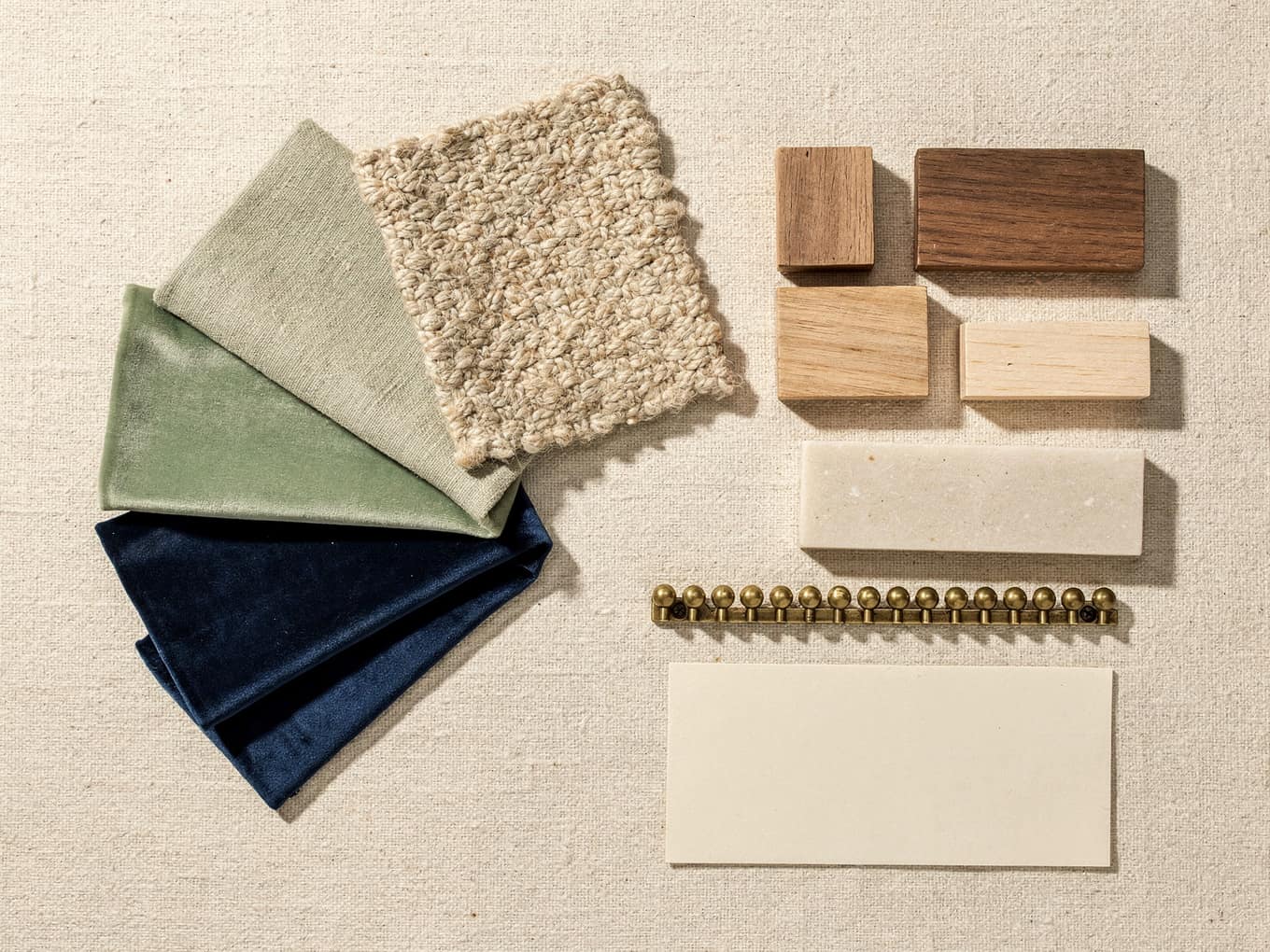
A maker’s mood board: graded fabric swatches, walnut and oak finish chips, a nailhead strip, rendered
✦ Generated with AI Design Studio

A maker’s board: graded swatches, walnut and oak chips, nailhead, stone, one card. AI render.

  1. 01

    Define one story

    Pick a single style or buyer moment: organic modern living, hotel guest-room linen, brass accents for boutiques. Name it the way a buyer would search for it. "Coastal dining collection" beats "Spring line 2026". If the board needs 60 products to make sense, it is two boards.

    In Poly9: The story becomes the collection name and brief. Buyers see the sentence before the first product.

  2. 02

    Put the finish grid on top

    The first question after "I like this" is "what other finishes". Answer it before it is asked: three to six finishes or colourways, shown on the product or as swatches, with the names you use on the price list. Brushed brass, matte black, antique copper. Walnut, natural oak, white-washed.

    In Poly9: Finishes come from your material library, so the same names appear on the board, in the chat and on the quote.

  3. 03

    Choose 8 to 15 products

    Hero shot, name, one-line descriptor, key dimension. Group by use (dining, bedroom, lighting) or by material (solid wood, metal, textile). Leave out anything you cannot ship in the lead time you will print next to it.

    In Poly9: Curate real products from your catalog, or invent concepts for a brief and price them from the closest recipe.

  4. 04

    Add two or three labelled vignettes

    Room scenes that show scale, one finish family per scene, and the product names in the frame. A photo or a render both work when the buyer can tell which item is which. Skip stock interiors that do not contain your products.

    In Poly9: Render a catalog product into a styled room. The image carries an "AI render" label.

  5. 05

    Connect the board to a live path

    A board that ends at "email us for pricing" is a lead form with extra steps. End with the one thing you want: request a quote, order a sample, or save the collection. Then make that possible on the page itself.

    In Poly9: The buyer asks for a price in the collection chat. Certified prices come from your rules; a missing rule returns price on request.

Five board types and when to use them

Different buyer moments need different boards. Match the structure to the conversation you are in.

BoardWhenStructureExample
Category story boardA new collection, or a fairCover vignette, finish grid, 10 to 12 products grouped by use, closing vignette, one next step"Organic modern dining": mango wood table, iron chairs, brass pendant, all in one finish family
Finish story boardA buyer asks "what other colourways", or you launch a finish across the lineOne hero product in every finish, the chip grid, the related products in the same family, a configure prompt"Brushed brass": lighting, hardware, accessories in one finish
Program boardA hotel, hospitality or retail program with fixed requirementsProgram facts first (MOQ, lead time, certifications), approved products, finish and size matrix, request-pricing step"Guest-room linen": king and queen sets, three colourways, lead time by quantity
Fair follow-up boardThree days after the meetingA thank-you line with the fair name, the 6 to 8 products they asked about, their finishes, the same link"Your IHGF shortlist": the metal pieces they photographed, now configurable
Showroom floor boardA designer is on the floor and wants a scheme from several brandsStyle keywords, products across brands, configure each item, one priced collectionCoastal living room: sofa from one brand, coffee table from another, rug from a third, one quote
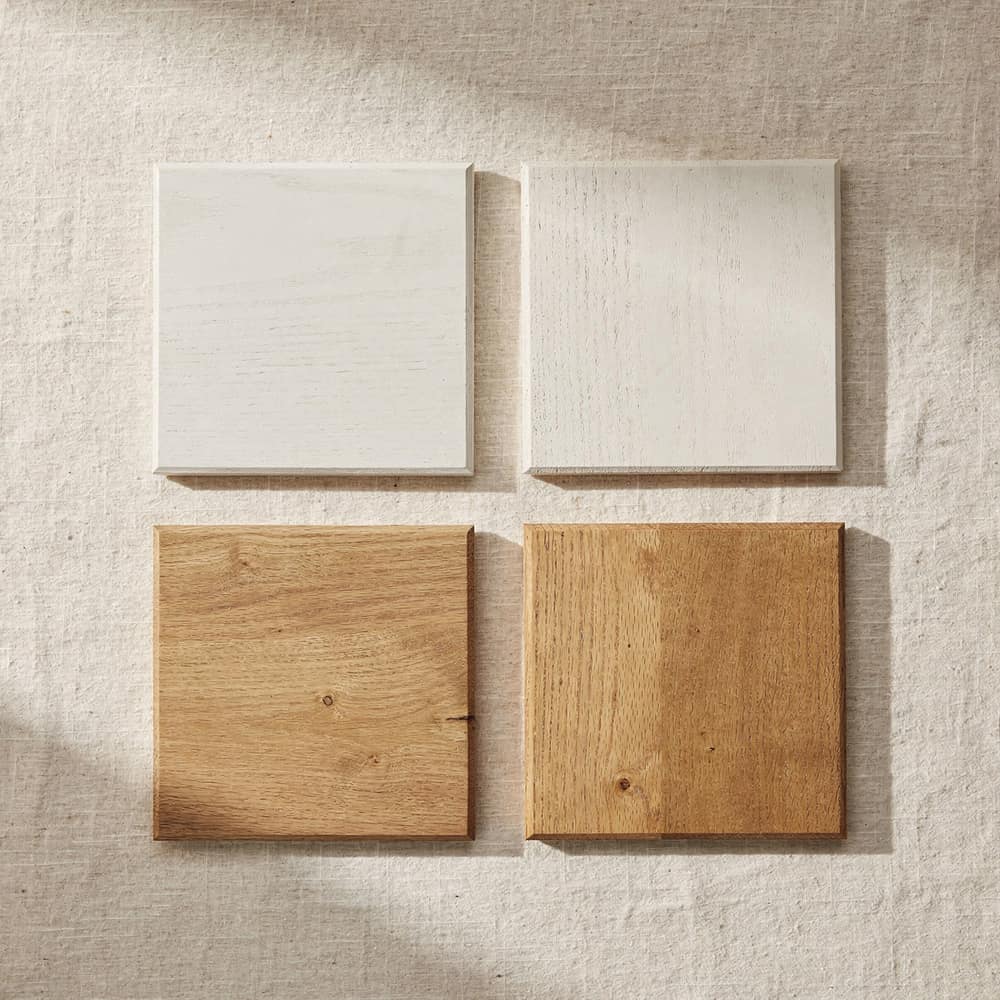
Finish grid board: samples of one door in painted maple and stained oak, rendered
✦ Generated with AI Design Studio

Finish story: one door, every finish. AI render.

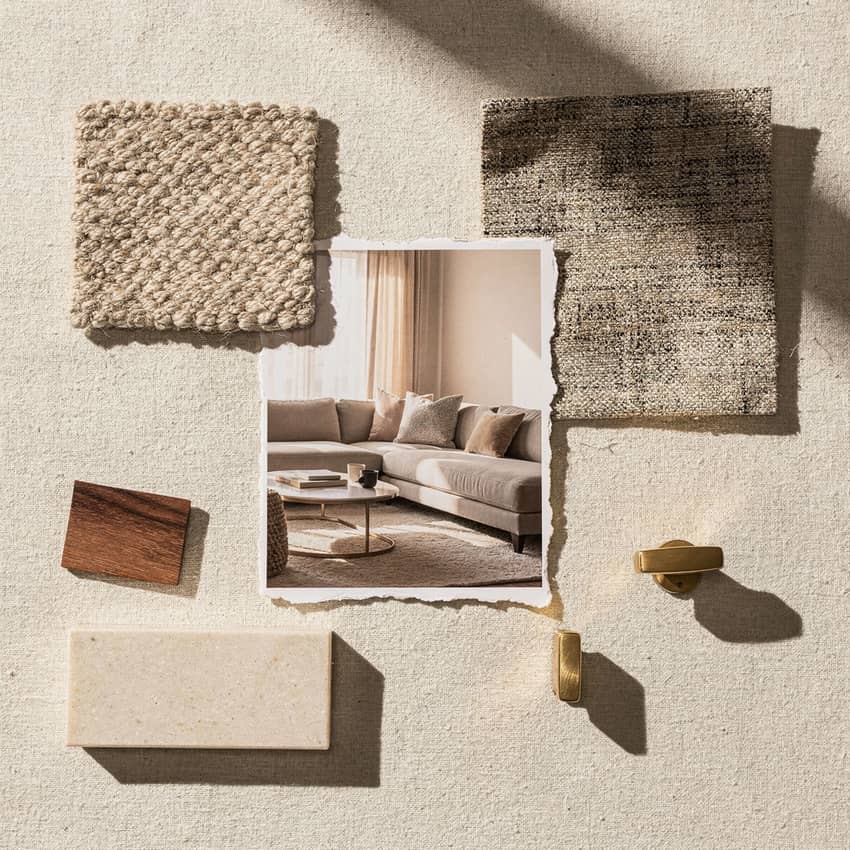
Room-story board: a living-room print with fabric swatches and a walnut chip pinned around it, rendered
✦ Generated with AI Design Studio

Category story: the room print, labelled. AI render.

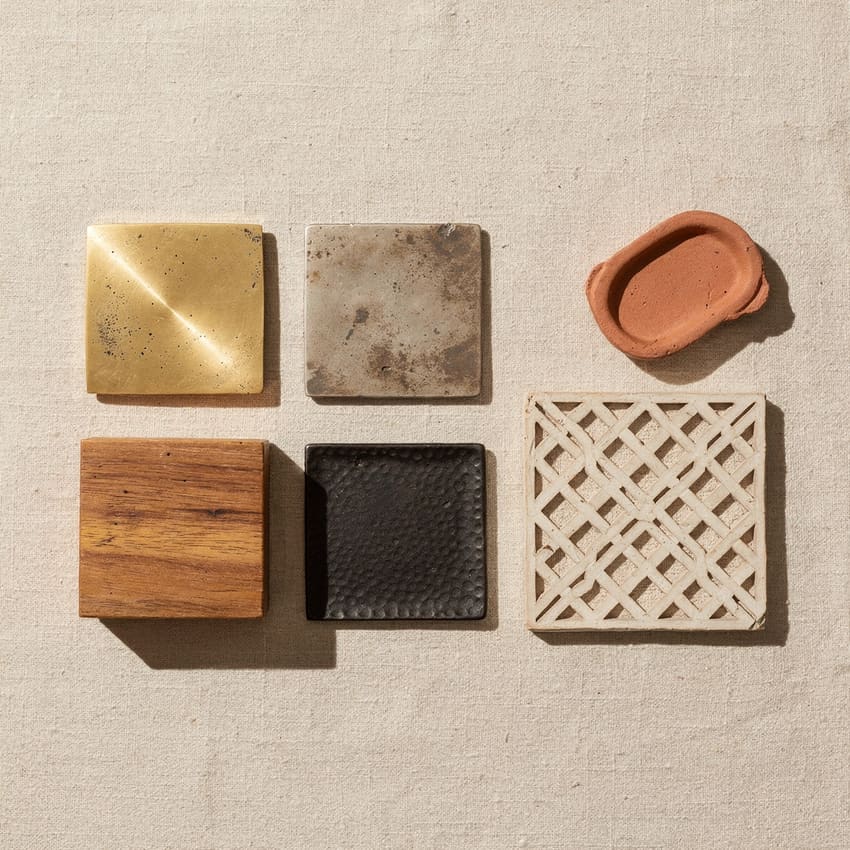
Material-family board: brass, nickel and iron samples with a mango-wood block and bone inlay, rendered
✦ Generated with AI Design Studio

Material family: brass, nickel, iron, wood. AI render.

What makes a buyer close the board

The everything board

60 unrelated products is a catalog dump. Buyers want one story per board and will ask for the next one.

Desktop-only layout

Most follow-ups are read on a phone. Single column, big tap targets, images under 400 KB. Test it on your own phone before you send it.

No finish story

One product shot with no colourway grid leaves the first question unanswered. Put the grid on the second screen.

Unlabelled scenes

A beautiful room the buyer cannot decode wastes the scene. Label every product in every vignette.

A dead end

"Contact us for pricing" is where PDFs go to die. End with a step the buyer can take on the page.

Borrowed imagery

Stock interiors and scraped boards that do not show your products confuse buyers and risk a takedown. Use your own photos or labelled renders of your own products.

From board to priced collection in Poly9

The board pattern above maps onto a Poly9 collection one to one.

One-link collection share with buyer engagement tracking

The board as a collection: one link, priced pieces, the open receipt. Real screen.

Start from the catalog

Add products from photos, a spreadsheet or your website. Pick the heroes, write the story line, choose a cover. The collection is phone-first by default.

Curate or invent

Curate real products for a buyer, or invent concepts for a brief and price them from the closest cost recipe. Both ship as one link.

Render what you have not shot

Render a catalog product into a styled room when the photography does not exist yet. The image carries an AI render label.

Finishes from one library

Load finishes, grades and COM rules once. Every board, chat and quote uses the same names and the same prices.

One link, always current

Update a product or a lead time and every shared link reflects it. No re-sending PDFs.

Many brands, one board

Showrooms curate across every brand they carry. Each product prices from its own brand’s rules, and the buyer gets one quote.

Before you share the board

Seven checks

  • One story, named the way a buyer would search for it
  • Finish grid on the second screen, using price-list names
  • 8 to 15 products with name, one-line descriptor and key dimension
  • Two or three vignettes, each labelled, renders marked as renders
  • MOQ and lead time next to the products they apply to
  • One next step the buyer can take on the page
  • Opened on a phone and every tap checked

Questions makers and showrooms ask

Should the board show prices before the story?
Not for exporters and fair follow-ups: lead with the story and the finish grid, and price when the buyer asks. Showrooms presenting to a designer on the floor can go straight to a priced collection because the rules are loaded. Poly9 supports both: board first, quote when asked, or priced from the start.
Can we keep our own branding on the board?
Yes. A Poly9 collection carries your logo, colours and company name on every screen, and the buyer never sees a marketplace. The board structure underneath is phone-first, so buyers tap through finishes and save favourites without a PDF.
How is this different from a Pinterest board?
A Pinterest board is other people’s images with no path to your price list. A Poly9 collection is built from your own products, with finish and size options tied to your rules, or price on request when a rule is missing. The buyer can ask for a quote on the page.
We have no lifestyle photography for most products. Can we still build one?
Yes. Start with the hero shots you have and two room scenes that show scale and finish. Render the products you have not shot into a styled room in Poly9; the image carries an AI render label. Expand coverage as the board earns follow-ups.
Can a showroom use one board across several brands?
Yes. Showrooms on Poly9 curate products from every brand they carry into one collection. Each product prices from its own brand’s rules, so the designer sees one coastal living room and one quote, not three brand PDFs.
How fast can we build a board before a fair?
With catalog photos on hand, a shareable board takes a day. Loading finish rules and testing the option matrix takes longer, so mark price on request where a rule is missing and quote after the fair. Buyers care more about seeing the assortment on their phone than a price at the booth.

Build the first board as a collection.

Add your catalog, pick eight products, share the link with one buyer this week. 250 sales actions free for 30 days, no card, and the account stays yours.

Start free Talk to sales